What's new
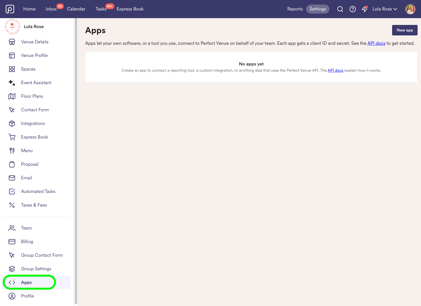
- A new Apps page. Go to Settings → Apps to see all of your organization's apps in one place, with each app's name, logo, client ID, status and when it was last used.
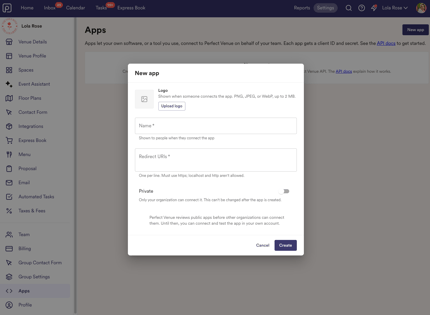
- Create an app in a few clicks. Add a name, your redirect URLs (they must start with https) and an optional logo.
- Edit or delete anytime. Update an app's name, logo or redirect URLs whenever you want. Deleting an app stops any integration using it right away, so double-check first.
Who can use it
Apps is available to organization admins when at least one venue in the organization is on the Enterprise plan. Your private apps can only reach your venues that are on Enterprise.- How to set it up
- Go to Settings → Apps.
- Create a new app and fill in the details.
- Copy your client ID and client secret into the tool you're connecting.