
What Are Countersign Agreements?
Countersign Agreements allow venues to require a venue-side signature after a guest signs an agreement. This creates a clear, structured approval process and ensures agreements are fully executed before an event is marked as confirmed.
How It Works
1. Enable Countersigning
You can choose how countersigning is applied at your venue:
-
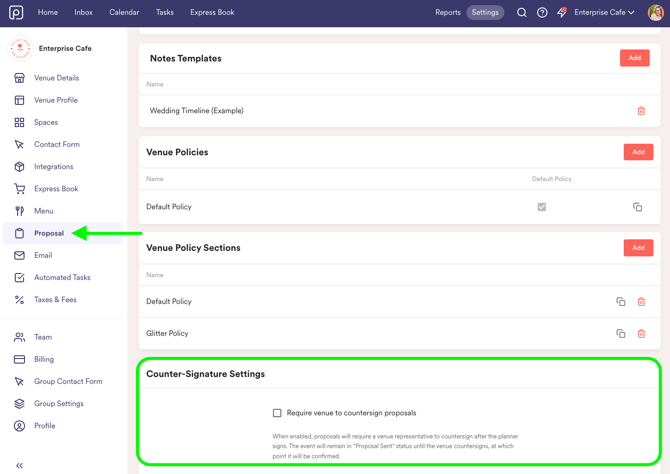
Require countersigning for all events by default, by enabling it in Settings > Proposal.
-
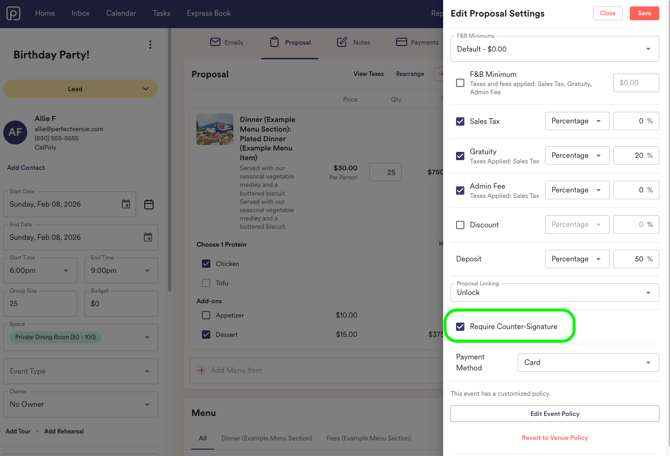
Customize per event by turning countersigning on or off at the event level when needed
2. Guest Signs the Agreement
Guests review and sign their agreement as usual. Once their signature is completed, the agreement is marked as ready for countersignature.
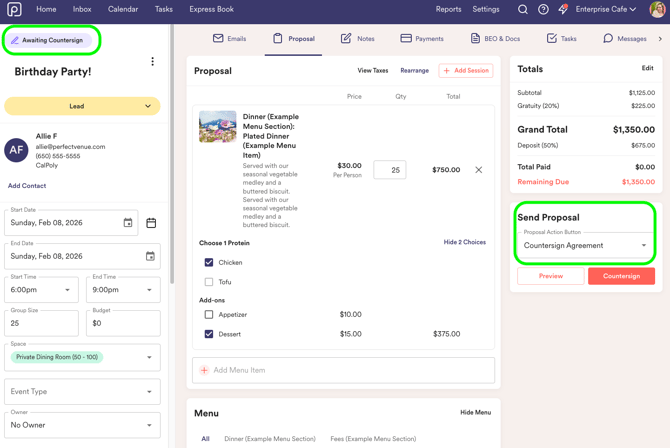
At this point, you will receive an email letting you know that action is required.
4. Countersign & Confirm
After the venue countersigns the agreement:
-
The agreement is fully executed
-
The event automatically moves to the Confirmed status!