
Custom Documents allow you to:
-
Create fully customizable document templates
-
Automatically populate event data using smart fields
-
Generate polished PDFs directly from Perfect Venue
How Custom Documents Work
Creating Custom Document Templates
Custom Document templates are created in Proposal Settings.
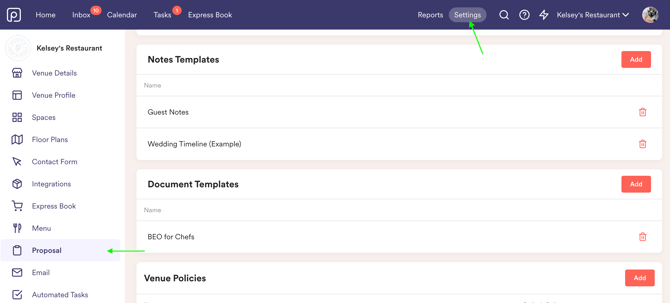
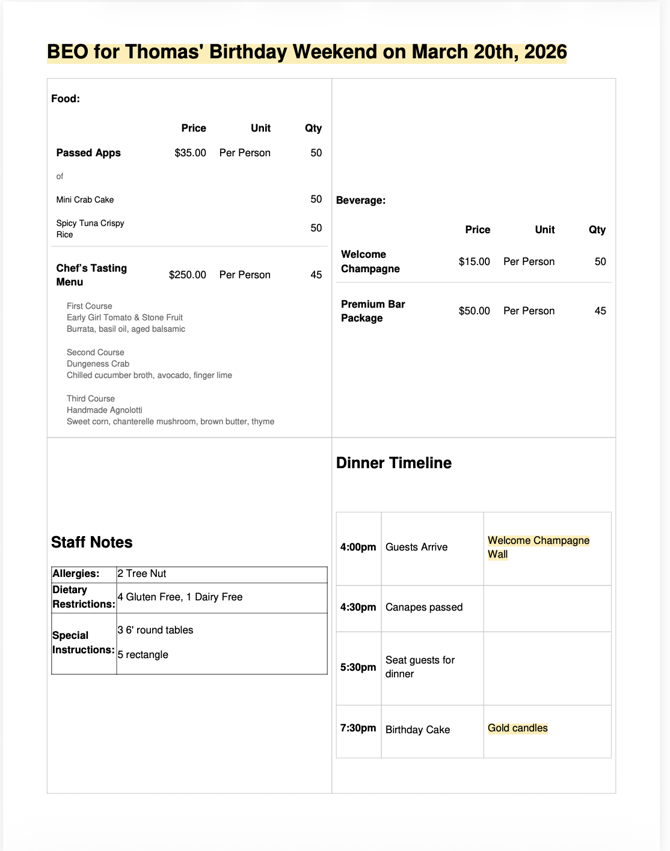
You can create multiple templates for different needs (e.g. Chef BEO, Internal Run of Show, Client Proposal).
Editing Custom Document Templates
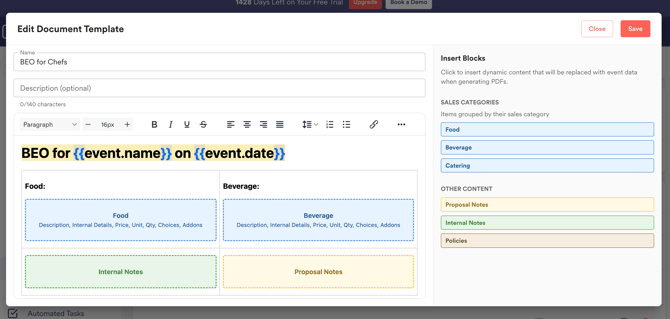
You can add and organize:
-
Sales Categories
- Proposal Notes & Internal Notes
- Policies
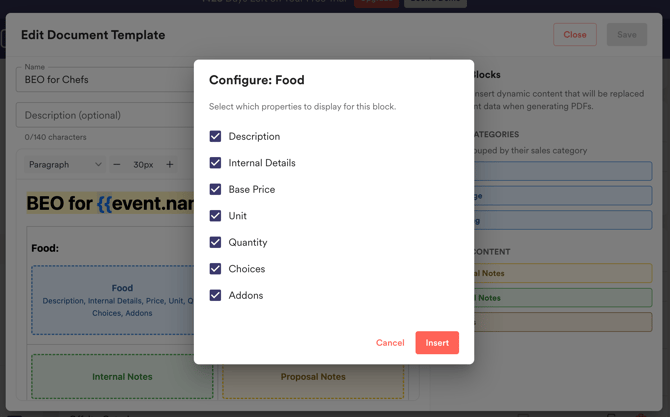
Configure information you want shown on your custom document
Custom Document Templates in Events
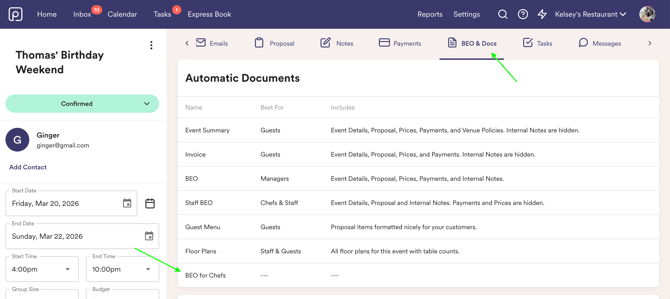
Your custom document templates will populate in the BEOs & Docs tab within each event and will be created automatically based on event information.
FAQ
Can I batch download custom documents?
Yes! Just like automatic documents, you can batch download your custom documents in the Events Report.
What happens if I delete a custom document template in my settings?
If you delete a Custom Document template from settings:
-
That document type is removed from the Automatic Documents table
-
It will no longer be available for new events
Can I add images to document templates?
Yes! You can images such as company logos, food items, etc.
If you'd like to trial the Enterprise plan and test out this feature, please reach out to support@perfectvenue.com!