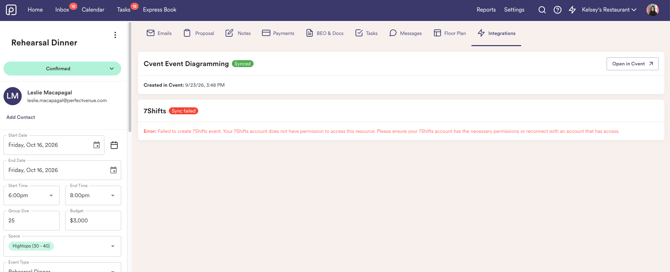
How the integration works
You will first need to get set up with a Cvent account, if you don't have one already!
To get started create an account or schedule a demo to learn more about Cvent.
Once the integration is set up, Cvent will allow you to make custom floor plans, and they will be accessible within your event in Perfect Venue.
How do I set up the integration?
- Head to Settings → Integrations
- Select "Connect" to the right hand side of the integration tile.
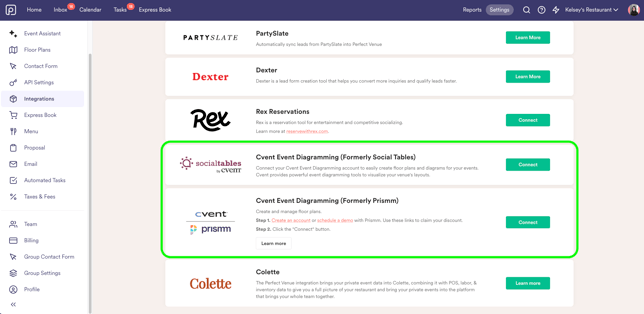
- Log into Cvent
- Configure spaces
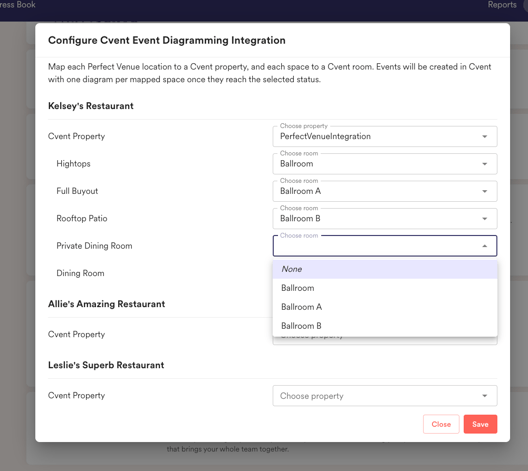
- Note: Each user who wants to use the integration must connect Cvent from their own Perfect Venue account.
What does the integration look like?
Once you are connected, a Cvent tile will appear in the Integrations tab within the event. From there, you can click the "Create in Cvent" button and an event will automatically be created in Cvent.
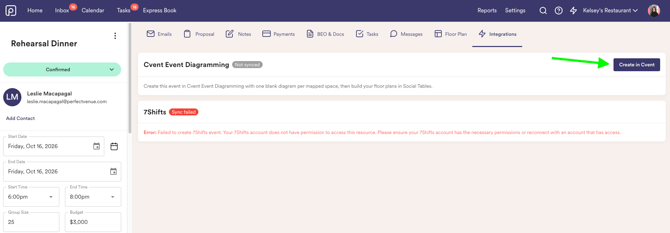
The following conditions must be met:
- Event must have a start date
- Event must have a start time
- Event must have an end date
- Event must have an end time
- Event must have at least one space mapped to a Cvent room
Once the conditions are met and the floor plan is created, you will see that the event synced to Cvent and can open it from the tile: