Walk-Through Video
Floor Plan Templates
Floor plan templates let you save your most commonly used room layouts and apply them to any event. To create a template, follow the steps below:
-
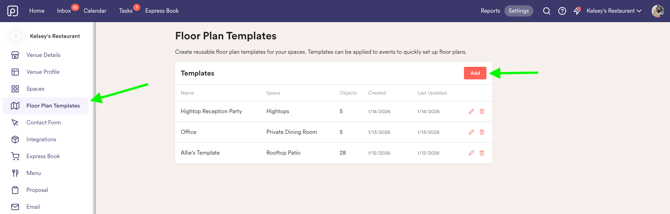
Head into Settings > Floor Plan Templates and click "add"
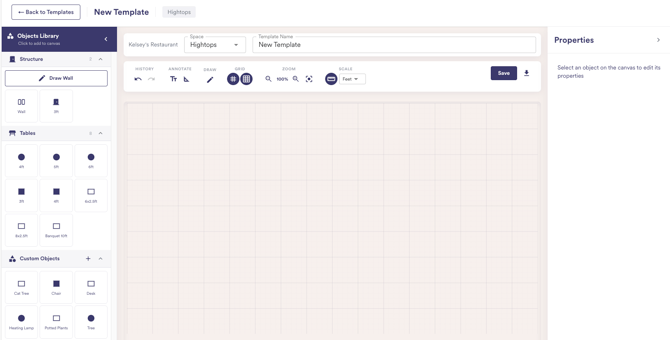
- Name your template and assign it to a Space
- Now you can start building your floor plan!
Once your template is created, you can apply it to an event by following these steps:
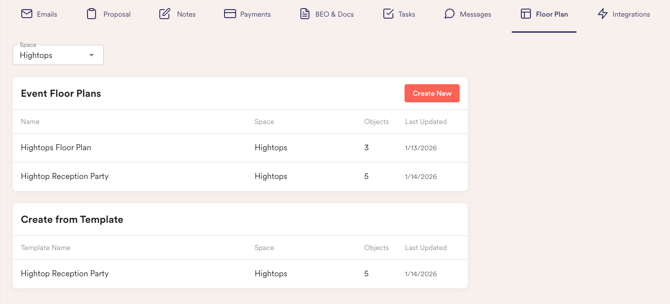
- Open the event and navigate to the Floor Plan tab.
- Click Use Template and select your template from the dropdown.
Getting started with floor plans
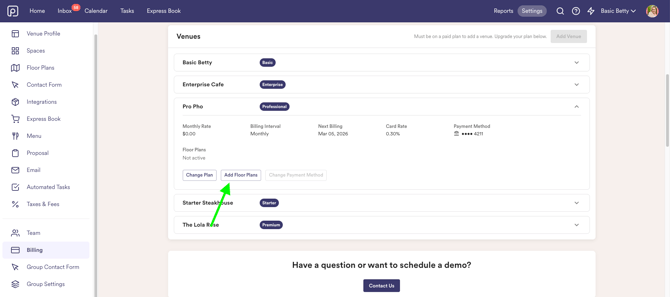
Go to Settings > Billing and locate the floor plan column in your subscription widget. Click Add Floor Plans to start your free trial.
Perfect Venue will create your floor plans for you. Email your existing floor plans to support@perfectvenue.com once you start your trial and we will add them to your account (up to 5 per venue).