Perfect Venue has made collecting customer feedback easier, thanks to our Guest Reviews and Feedback feature!
Perfect Venue’s Reviews & Feedback feature allows guests to submit ratings and comments after their events, including optional public feedback for your Marketplace profile and private feedback sent only to your team.
How do guests leave reviews?
Guests will automatically be sent an email requesting a review 24 hours after the event is marked as Completed.
Where can I find my reviews?
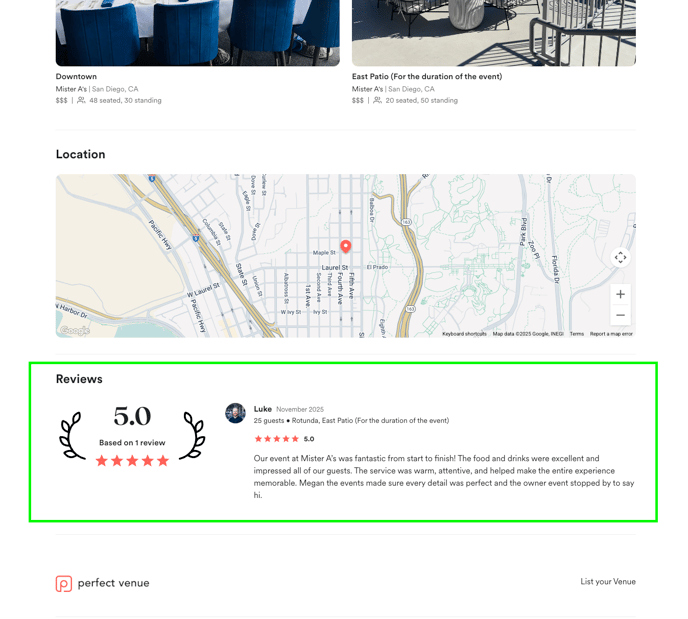
If enabled, public reviews appear on:
-
Your Marketplace Venue Profile
-
Your Space Profiles
Guests will be prompted to submit a star rating, public feedback, and private feedback.
What information becomes public?
-
Star rating
-
Public comment
-
Your aggregate review score across all reviews
How do I enable or disable review requests?
You can configure your reviews on your Email settings.
Go to:
Settings → Email → Customer Feedback & Reviews
You will see two checkboxes:

1. Customer Feedback Request
What does this control?
Turning this ON:
-
Allows guests to submit reviews
-
Sends automated review request emails

2. Display Feedback on Profile
What does this control?
-
Determines whether public reviews appear on Marketplace profiles
-
Guests can still submit reviews even if this is OFF

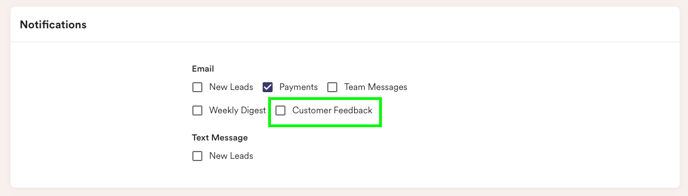
How can team members get notified when a guest submits a review?
Each team member can adjust their own settings:
Go to:
Profile → Notifications
Enable:
✔ "Customer Feedback"
The notification email includes:
-
Star rating
-
Public feedback
-
Private feedback