
How to Set Up the Integration
-
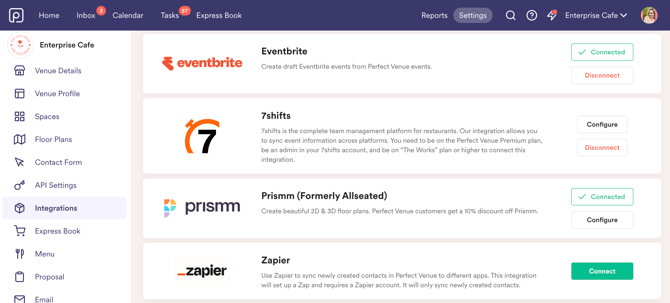
Go to Settings -> Integrations
-
Connect your Eventbrite account
-
Select the Eventbrite organizations you want to connect with. You need to be added to the Eventbrite organization to see it listed in Perfect Venue.
How to Use the Integration
- Go to an event
- Go to the Integrations tab within an event
- Select the Eventbrite organization you want the event to push to
- Click "Create in Eventbrite." The event name, date, start time, end time, and location sync over instantly as a draft, ready for you to add ticketing and publish in Eventbrite.
- After the event is created, you'll see the Eventbrite event URL and a last-synced timestamp right in your Integrations tab so nothing falls through the cracks.