
Steps:
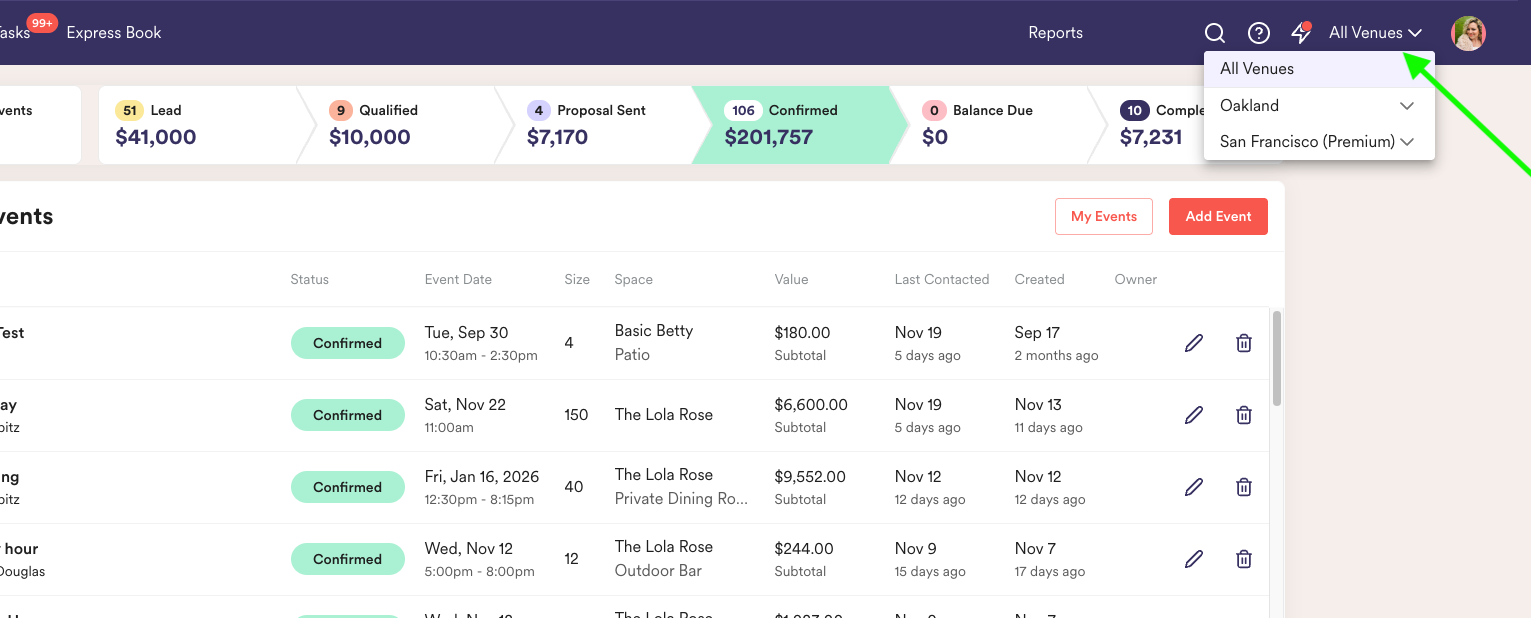
- Toggle into "All Venues" mode.
- Head into the event that needs to move and select the desired venue from the dropdown.
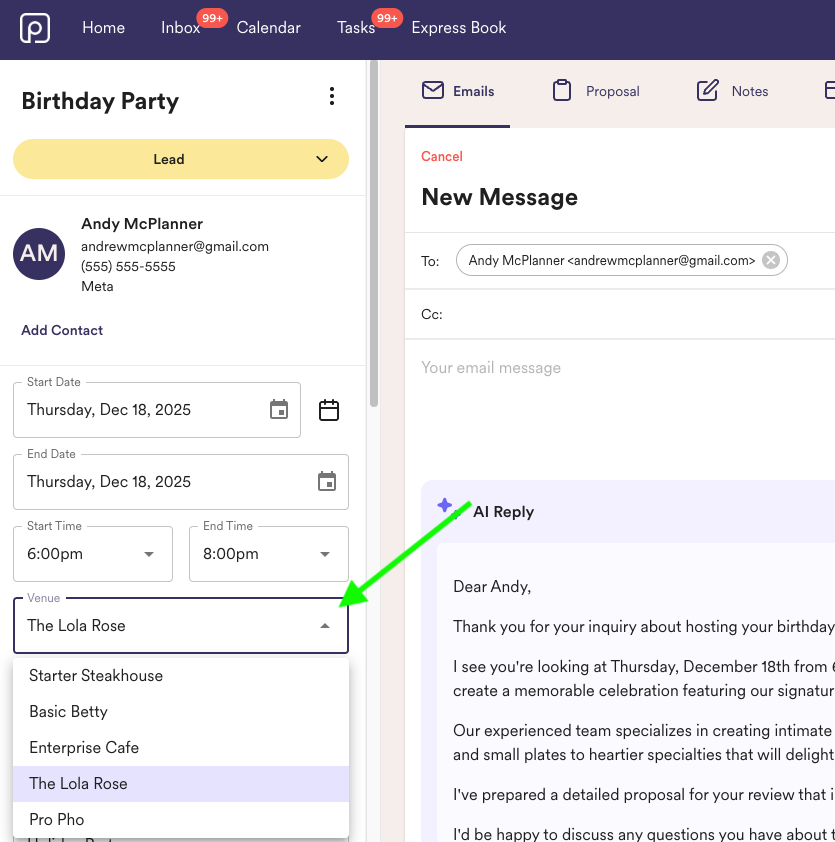
- Yay! Your event is now moved over.
Note: When moving events from one venue to another, custom fields will not carry over. Please add important information into the "Internal Notes" section before selecting the new venue to save your data!